Distributed inputs
Budget, purchases, labor, equipment, inventory, invoices and changes arrived through different working records.
FEATURED CASE STUDY 01 · PROJECT COST CONTROL
An operational cost-control application designed around the real information needs of a major healthcare construction project, bringing project position, cost centers, changes, resources and progress into one practical working view.
CONTEXT & ORIGIN
The work focused on a multi-building healthcare construction package with floor-level progress, resource usage and multiple cost streams. At the beginning of the assignment, I mapped the raw information needed for cost control, the reports it should feed, and the management views required to turn that information into useful decisions.
That initial reporting concept later evolved into the working application shown here. I used the system as part of my own cost-control work to retrieve project figures, compare positions, inspect cost drivers and maintain a consolidated view of the project.
THE CONTROL PROBLEM
Cost control required information from different operational sources to be checked, structured and connected before it could support timely project decisions.
Budget, purchases, labor, equipment, inventory, invoices and changes arrived through different working records.
The project needed a fast way to see where cost stood against the approved control structure.
Change orders needed to be visible alongside their effect on project cost and ongoing control.
Management-level views still had to lead back to cost centers, resources, floors and detailed records.
CONTROL ARCHITECTURE
The original reporting model linked operating inputs to focused control reports, then brought the resulting indicators into a consolidated dashboard.
01 · RAW INPUTS
02 · CONTROL & ANALYSIS
03 · DECISION VIEW
One working environment for project position, comparisons, drill-down analysis and management visibility.
SYSTEM EVIDENCE
The portfolio views below use demonstration figures, while preserving the structure and working logic of the operational system.
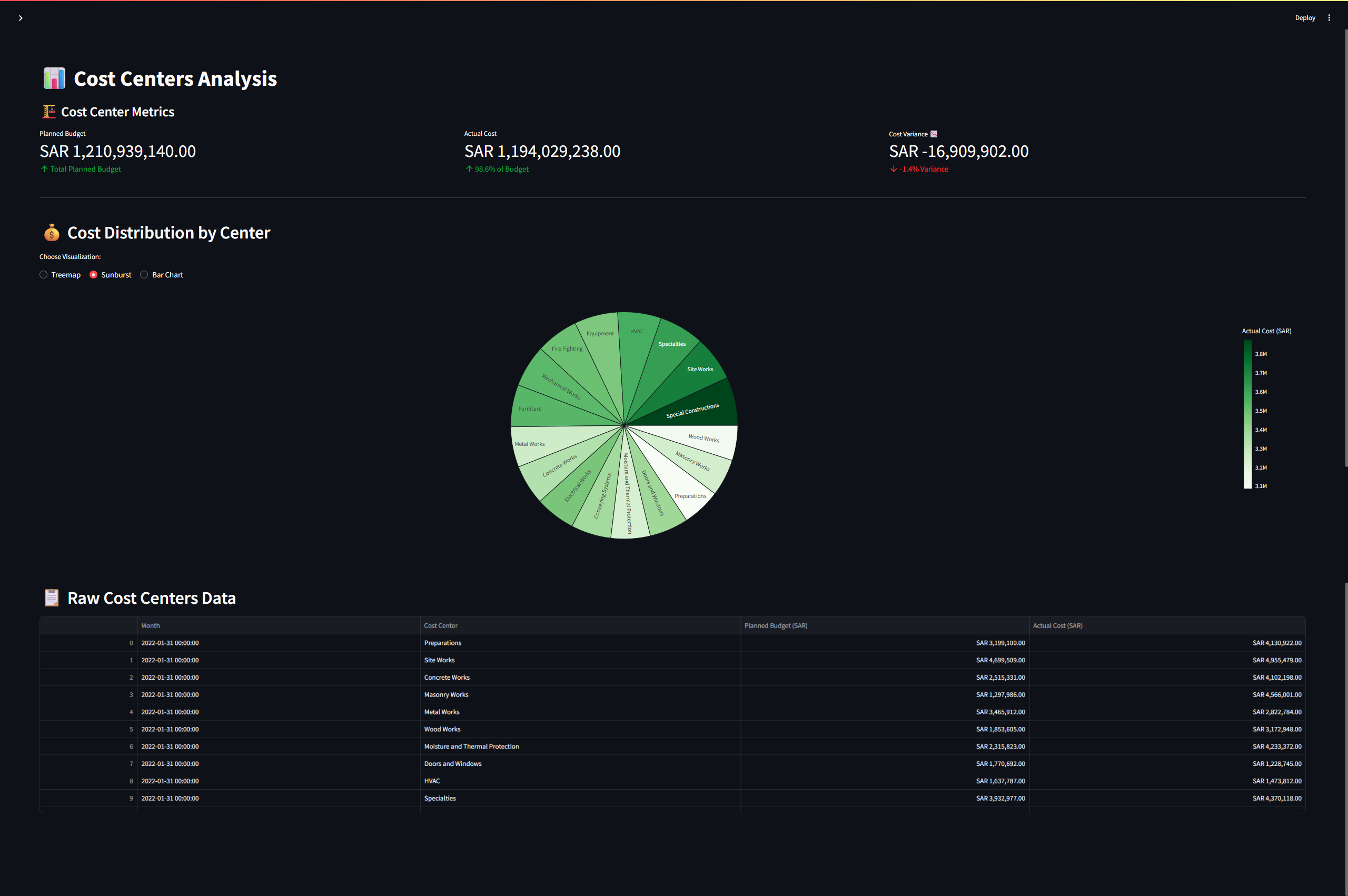
01 · COST CENTERS
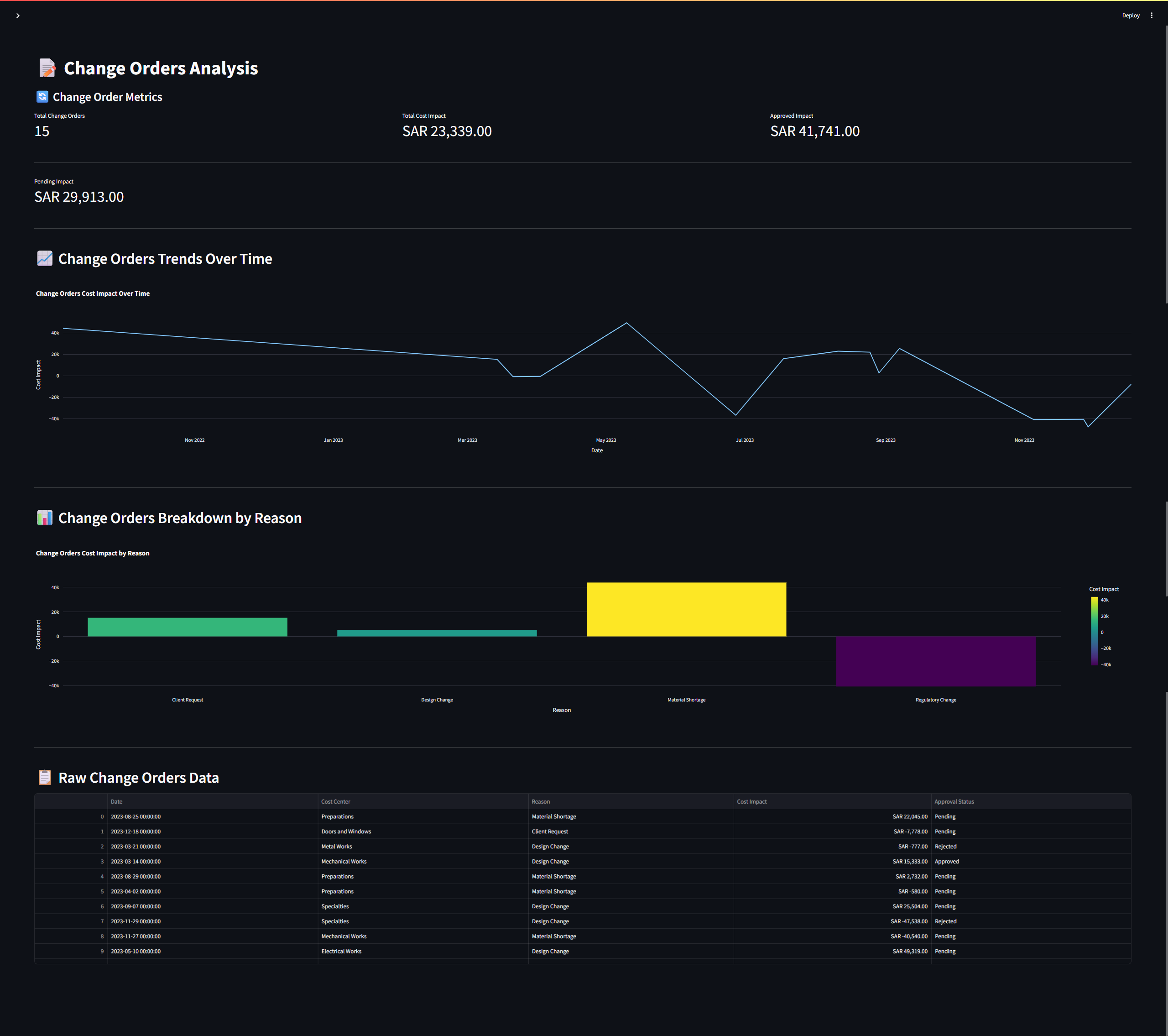
Cost CentersMove from project-level position into focused cost-center analysis and comparison.Open full-size view ↗02 · CHANGE CONTROL
Change OrdersKeep project changes visible alongside their financial effect and control status.Open full-size view ↗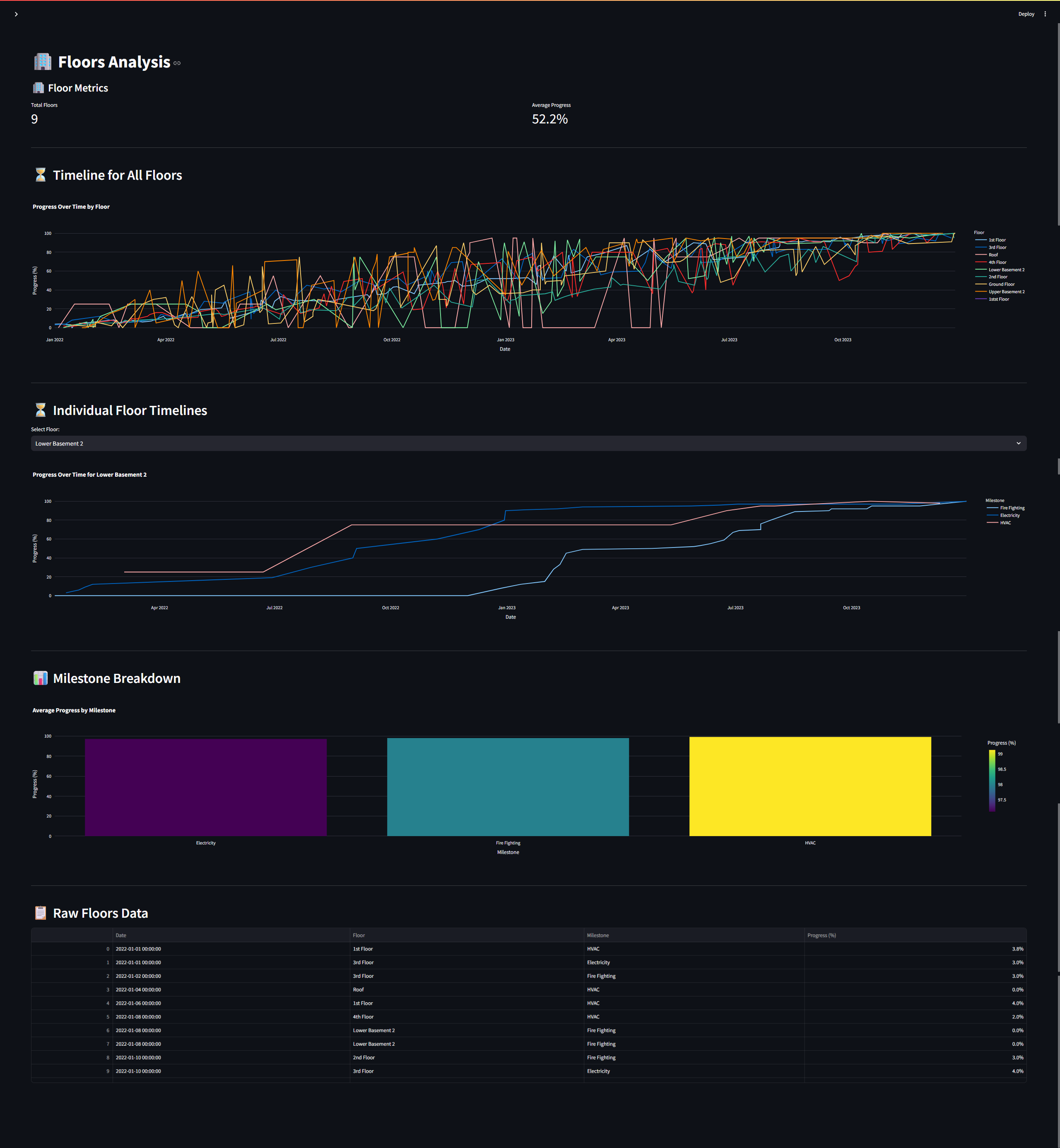
03 · PROGRESS
Floor & Progress AnalysisConnect floor-level progress with the operational picture used for project control.Open full-size view ↗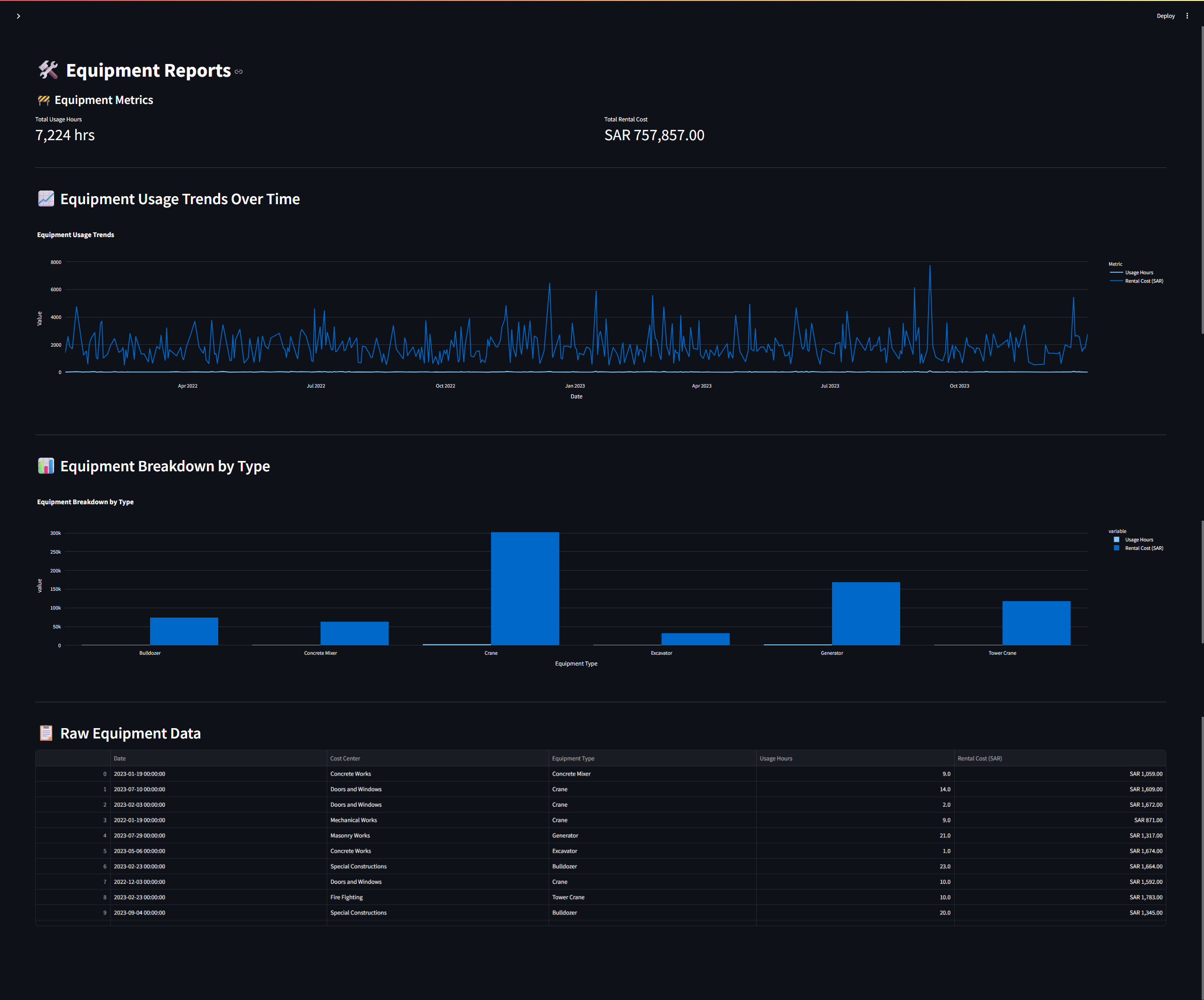
04 · RESOURCES
Equipment Cost AnalysisTrack equipment activity and cost patterns as part of the wider project-control model.Open full-size view ↗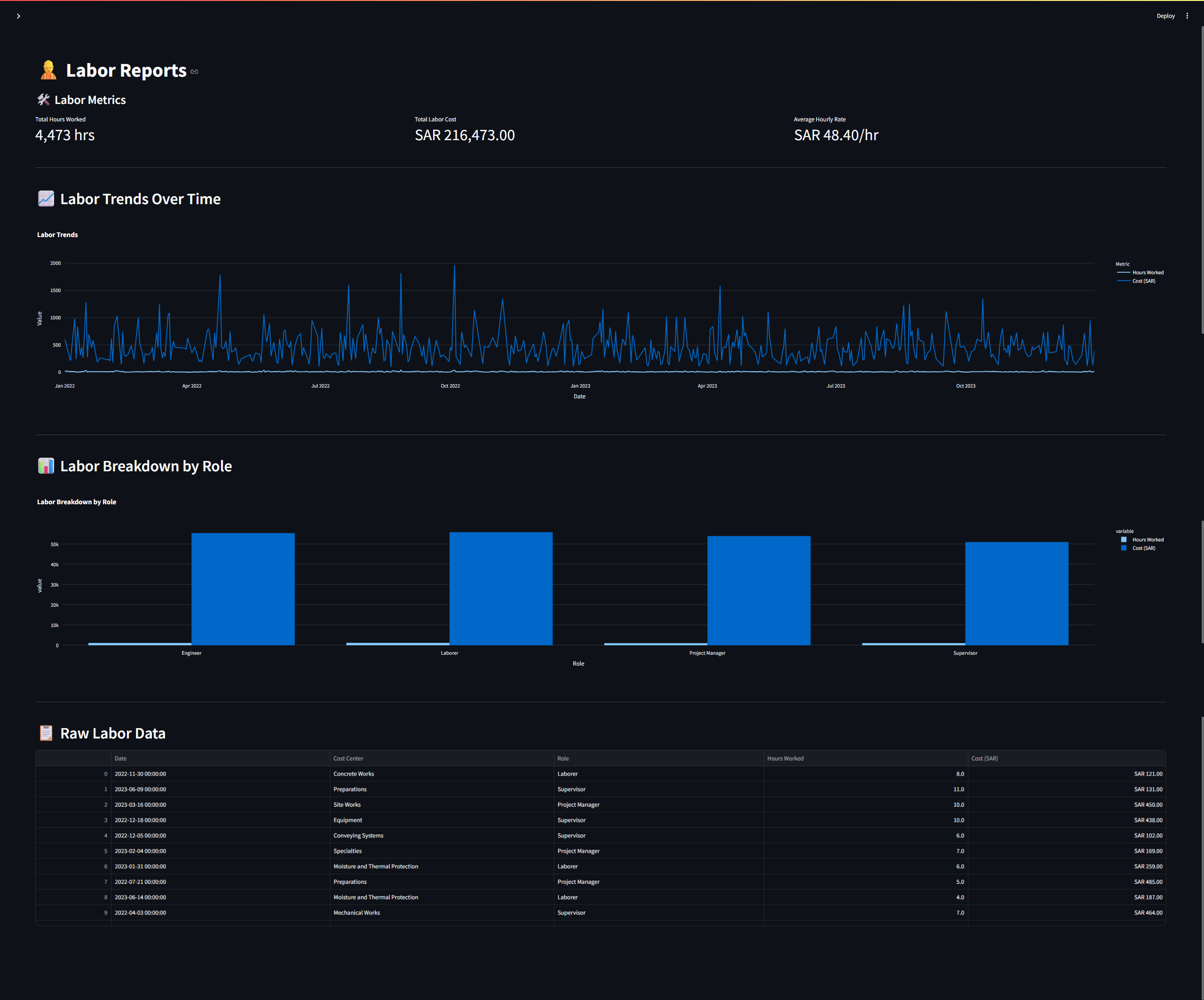
05 · RESOURCES
Labor AnalysisInspect labor activity, trends and resource information without leaving the control environment.Open full-size view ↗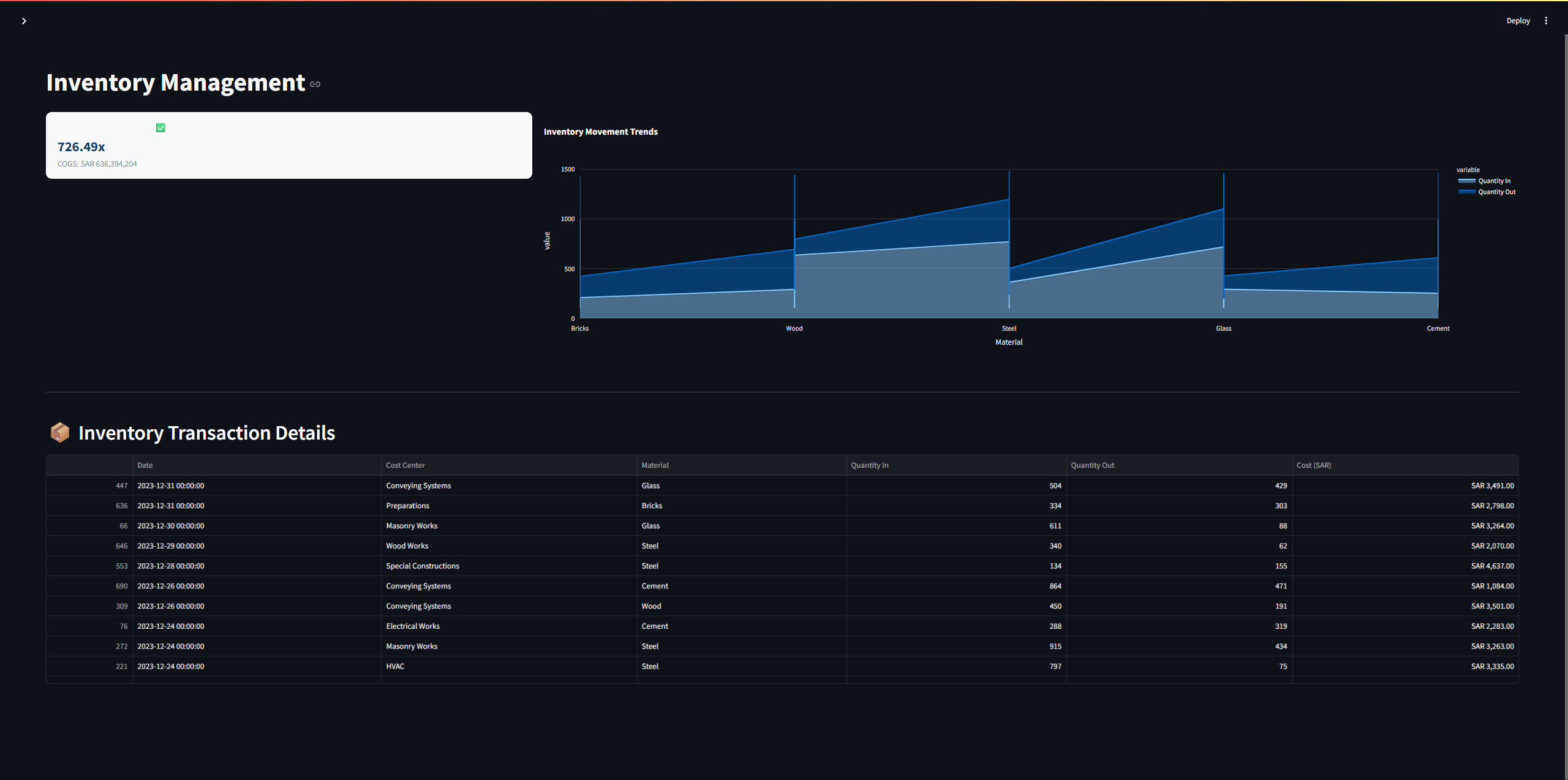
06 · MATERIAL CONTROL
Inventory ControlBring material movement and stock visibility into the same project-control workflow.Open full-size view ↗HOW IT WORKS
The workflow follows the same discipline defined at the start of the assignment: collect, validate, organize, analyze and report.
Bring together budget, cost, resource and project records from the operating sources.
Review completeness and consistency before the data enters the control model.
Organize information by cost purpose, resource type, cost center and reporting need.
Compare actuals, budgets, changes and resource drivers to expose the current position.
Turn the analysis into focused views that support project control and management decisions.
WHAT THE SYSTEM ENABLES
MY ROLE
The application was not a detached software exercise. It was designed from the perspective of the person performing the cost-control work, then used as a practical tool inside that workflow.
CASE STUDY 01
Active project cost control, shaped around real operating needs.